|
Last Update: March 28, 2014 |
How to
After an election, the record of voters who signed precinct registers at the polls is entered into the Voter Focus database by swiping voter bar codes with a hand-held bar-code reader. Data collected in this way is held in the voting history table until you run the Update Voter History program, which updates those voters' records, showing that they voted in the election.
The election's status must be Return Processing Only in order to record voting history from precinct registers.
Workers who are tasked with entering voting history from precinct registers will need the user permission Register History.
Do not enter precinct register history and non-precinct register history on the same workstation at the same time. See How to Enter Non-Register Voting History for instructions on this aspect of voting history processing.
To record the voting history from precinct registers:
Go to ELECTIONS > Record Register History.
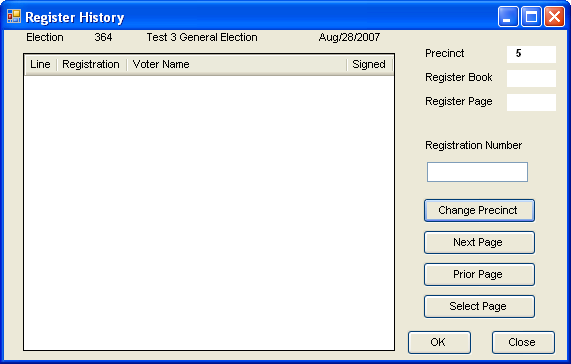
On the Select Precinct dialog, click the precinct you are processing. The Register History dialog appears.
Holding the precinct register, swipe the bar code of the first voter who signed the register. To do this, hold the light pen over the white space to the left of the bar code and move the pen across the bar code. It is important to start the swipe in the white space leading up to the bar code. The pen does not need to touch the page. The bar code may be swiped from left to right or from right to left.
You can start swiping anywhere in the precinct register: any page or book. When you swipe the first bar code, Voter Focus will detect the book and page numbers and display them on the Register History dialog.
When you swipe a bar code accurately, the voter appears on the Register History dialog, with a Y in the Signed column.
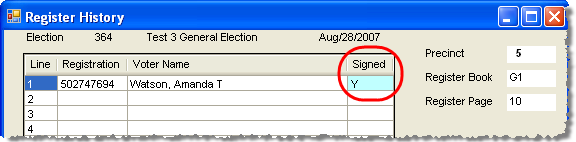
You should be aware that re-swiping a voter's bar code will toggle their Signed status. That is, if the status is Y, re-swiping will change it to N, and vice versa.
Swipe the bar code of the next voter who voted and continue swiping voters as you move down the page. If you swipe a non-voting voter by mistake, simply re-swipe their bar code to toggle the Signed value from Y to N.
To go to another page or another book, swipe the first bar code of the voter who voted.
When you come to the end of a swiping session (such as a lunch break), click Close. When you return, start with step 1 and continue swiping where you left off.
If there are not enough light pens for the staff who are swiping precinct registers, voting history can be entered manually by entering the voter ID in the Registration Number field and clicking OK or pressing Enter. However, this method is not recommended due to the possibility of errors. For example, a miss-key could put record the wrong voter as having voted or put you on a different page in the precinct register. If you use this method, you must check each entry to verify that the correct voter ID was entered and that the Register Book and Register Page fields are still showing the correct book and page.
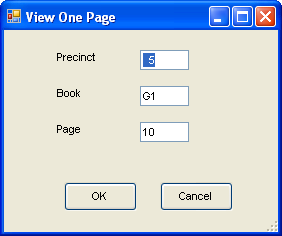
During final inspection of the precinct registers, should you want to access the records for a specific page, click Select Page, enter the precinct, book and page number you want to see, and click OK.