Last Updated: 09/21/2023
View or Export an Election's Audit
To access: ELECTION > Audit
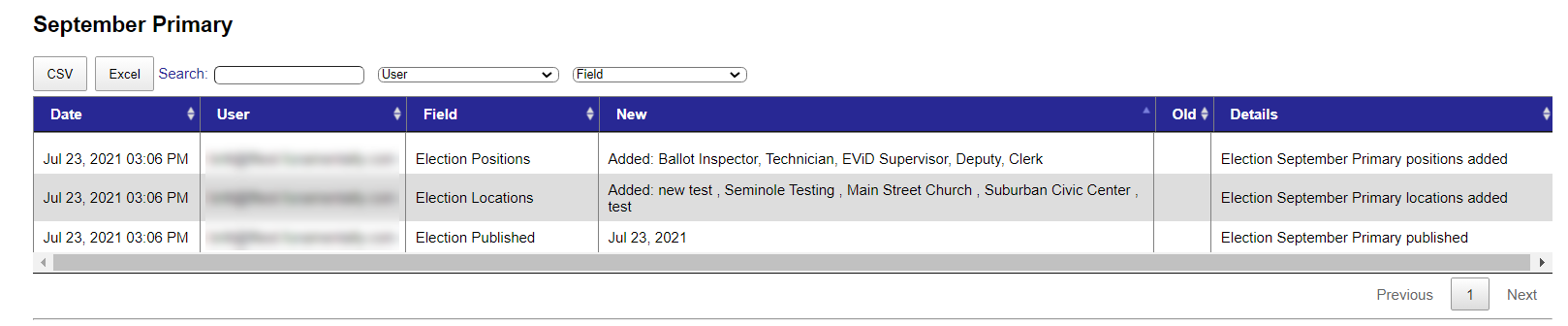
You can do the following:
- Review the information onscreen—Use the search, filter, column sort, and page navigation controls to change the data that displays in the grid.
- Export the information—Click the CSV or Excel button to automatically export the grid content to your Downloads folder in the format you specified.
Note:
Data on all grid pages is exported; however, if you filter the contents, only the data matching your selected filter is exported. For example, if you select a specific field, only the changes that were made to that field are included in the export.
Audited Information
The list of an election's audited items can include:
- Changes made to the election name, election dates, and Early Voting start and end dates.
- Locations used for the election — Changes to a saved location are shown in the New and Old columns instead of being added as a new item in the grid.
- Positions used during the election — Changes to a saved position are shown in the New and Old columns instead of being added as a new item in the grid.
- Scheduled shift adjustments for the election.
- Election activation date.
- Election archive date.


