Last Updated: 06/02/2022
View Course History
The ELM system records changes that are made to each course for your review and auditing purposes.
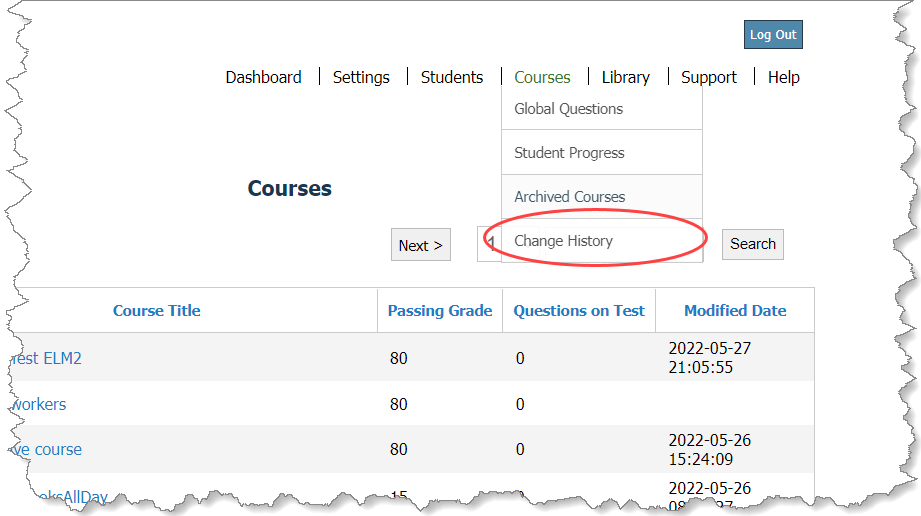
- On the main menu, click Courses > Archived Courses.
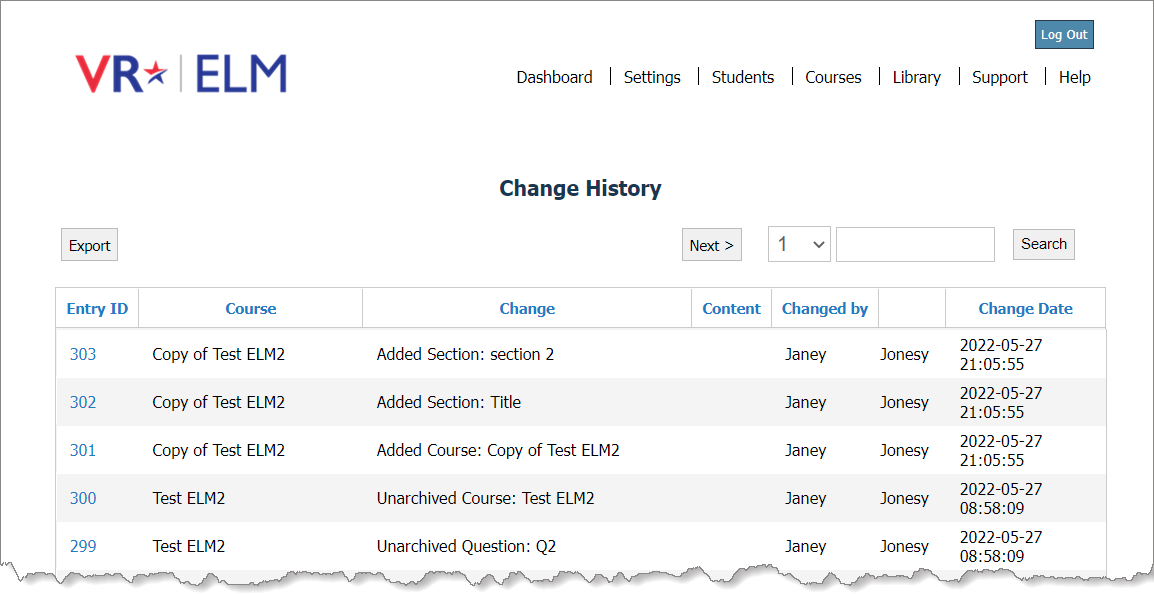
A record for each change is listed, including the course title, a description of the change, the user name, and the date and time the change was made.
- Above the grid on the Change History page, you can do any of the following:

- Navigate to more pages—Click Next or select a page number to navigate to another page.
- Refine the list of changes—Enter criteria in the text box and click Search to show only the records that contain your criteria (in any column). You can enter full or partial criteria.
From a filtered list, click Show All to return to the unfiltered list.
- Export history—Click Export to automatically create a CSV file of all the change history in your Downloads folder.Note: To export the complete change history, make sure the grid is not filtered by search criteria.